Pages

Monday, July 20, 2026

My First Chrome Extension - Chess FX

My First Chrome Extension - Chess FX

Have you ever dreamed of substituting chess.com audio sounds (e.g. check, checkmate, your move, your opponent's move, low time, end of game, premove etc.) with your own customized audio mp3 files? I know I have. A few Chrome extensions already do this but are limited in how many sounds you can customize. 

Have you ever wished that you could hear an audio play when something significant or noteworthy happens? Imagine losing a game and when you are down 12 points of material, your opponent manages to stalemate you, and you hear "Stalemate!!! How did that even happen???". Imagine hitting an all time high blitz rating of 2100 and you hear an voice exclaiming "Way to go! You hit a new best rating of 2100 in Blitz!". Or what if you were almost forever stuck at 995 and suddenly you won and heard this audio play "Wow! Amazing! You hit a new milestone! Congrats!"

So about three weeks ago, I practically downloaded every Chrome extension there was that allowed me to play my own sounds....well I wasn't satisfied. So I did the next thing. I created my own Chrome extension. Imagine no more.

ChessFX is a highly customized Chrome extension that transforms the Chess.com playing experience with a rich library of custom sounds, announcements, visual effects, and intelligent in-game triggers. It replaces or supplements standard board sounds for moves, captures, checks, castling, promotions, premoves, game starts, results, time pressure, draw offers, rematches, and many other events. It can also react to specific chess situations such as streaks, rating milestones, tactical motifs, opponent strength, flags, abandonment, and unusual game outcomes.


The extension includes a live session HUD that tracks performance across a playing session, including wins, draws, losses, streaks, rating movement, game duration, and other useful statistics. Its Options interface allows individual features to be enabled or disabled, while the Review tools add extra audio feedback for accuracy, brilliant moves, missed checkmates, and related post-game analysis events. ChessFX also uses custom popup graphics, cursor effects, monochrome loss effects, and specialized result presentations to give each game a stronger sense of drama and personality.

At its core, ChessFX is designed to make online chess feel more immersive, expressive, and entertaining without changing the actual rules or gameplay. It combines chess awareness, event detection, audio sequencing, interface customization, and performance tuning into one extension that adapts to live games and Game Review separately. The project has been refined through repeated testing and debugging so that its many features trigger at the right moment, avoid unwanted overlaps, and remain configurable for different playing styles.

I have submitted this Chrome Extension for review by Google. Keep your fingers crossed.

Regards
Frankie "Durian Defense" Kam
Contact me for more details: 
Email: boonsengkam@gmail.com
WhatsApp: +6011-2001 1429
21/7/2026

P.S., if you are ever in Kuala Lumpur Malaysia on a lazy Saturday afternoon, I am the organiser of the Blitz Chess Meet Friends group. We meet every Saturday from 3pm to 6pm at Tedboy 51a. Do contact me if you want to join in the group to play casual chess. We also have a WhatsApp group with 380+ participants as well.

Wednesday, March 8, 2017

HOW I USED PCem TO CREATE A VIRTUAL 486 PC. Now I can enjoy playing Tornado on it!


Tags: virtualisation, PC emulation, reviving them olde dead games, PCem, DOSBox, Tornado flight sim, high fidelity sound, pure Voodoo graphics, leave your dusty outdated PC in the attic, maximum coolness, extreme awesomeness


EXECUTIVE SUMMARY
I don't have my own 486 PC. The last time I used one was in 2002. I couldn't play lots of old games on my modern PC. So I created a virtual 486 PC on my 64-bit Windows 10 Dell laptop. Now I can play any old DOS or Windows95/98 game on my Intel i5-4210U, 1.7Ghz, 8Gb RAM Dell laptop.


Here's the thing. You've got lots of CDs of old games, but you can't play them because they can't and won't run on your modern machine. Short of downloading the revived versions from Steam or GOG.com (that's is if they are there!), there is another way. PCem.

Today I figured out how to use PCem to play the old DOS and Windows flight simulators in their native environment. Woo hoo!

I'm talking high-fidelity Soundblaster sounds and music, accurate CPU cycles as per the actual PC BIOS and motherboards. I'm talking about Voodoo1 and Voodoo2 3Dfx rendering of graphics (better than what any 3Dfx software Glide Wrapper can do). In short, I can create my own virtual 486 machine with all the trimmings (devices and drivers) so that I can play classic DOS and Windows games with the authentic 1990s aural and visual experience!

PCem is a PC emulator that's been around for some time. After lots of poking around, I managed to setup up virtual machine (emulator) running on MS-DOS 6.22 bootable disk and Windows 95. The MS-DOS bootable disk is for playing DOS games - especially Tornado which needs at least 605 kilobytes of free conventional RAM. The Windows 95 mode is for running Mig Alley and other dinosaur Windows flight simulators that modern computers abhor.

Using PCem, I emulated a 486DX/2 40Mhz machine. That was expensive state of the art back in the early 1990s.

Here are some screenshots of my efforts. PCem running on my Windows 10 laptop!


Windows 95 running in all its glory on my desktop. To run in MS-DOS 6.22,
I have to attach the MS-DOS 6.22 boot disk image file, just before Win95 kicks in.


Tornado running merrily along. An external view.

For more of this madness, read more here.

Cheers
Frankie Kam

Sunday, January 8, 2017

Creating Cinemagraphs using Microsoft Blink Cliplets -

Welcome to my first post of 2017.

Cinemagraphs are basically animated gifs created using Videos. Cinemagraphs are still photographs in which a minor and repeated movement occurs, forming a video clip. They are published as an animated GIF or in other video formats, and can give the illusion that the viewer is watching an animation.

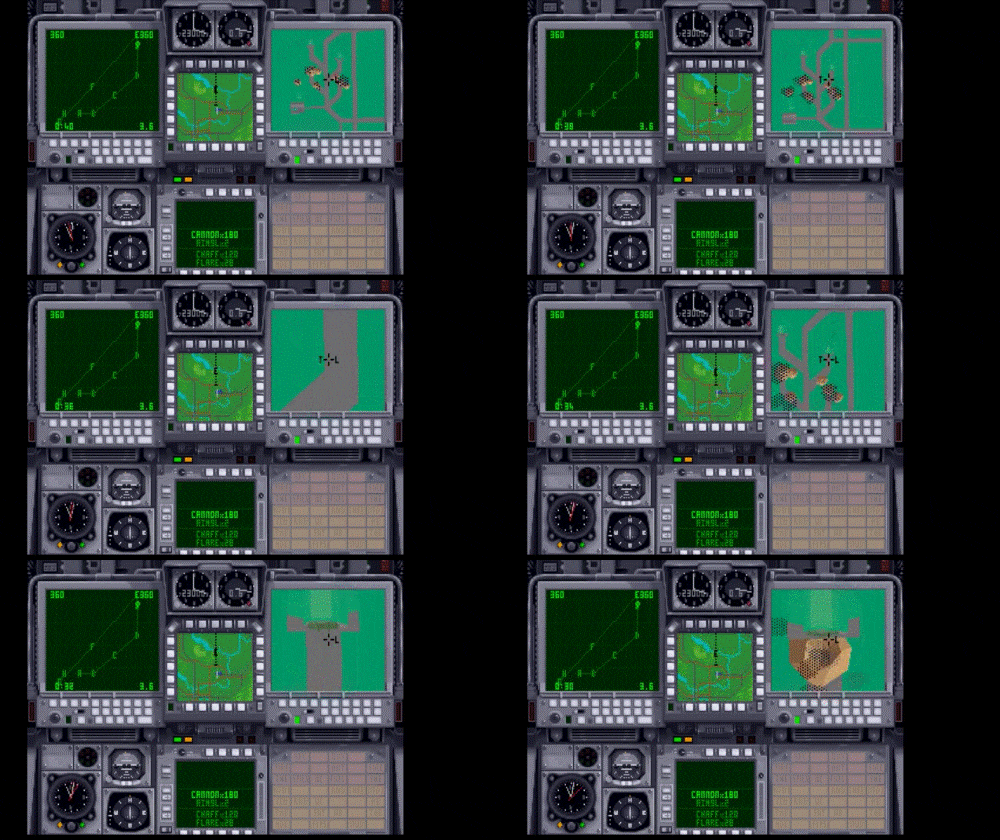
Here are some Cinemagraph GIF files that I have created.

Screenshot 1. A discussion - 194 Kb GIF file

Screenshot 2. Digital Integration's Tornado - WSO station (225 Kb GIF file)

Screenshot 3. Digital Integration's Tornado - WSO station again (223 Kb GIF file)

A Cinemagraph makes the GIF file come alive! You can select just a small portion to animate whilt the rest of the screen is static. As in the Screenshot 1. 

Here's the best part of a Cinemagraph. It's file size is smaller compared to an animated GIF of the same content. Look at Screenshot 3. An animated GIF of the same countent would be at least 2 Megabytes in size. The Cinemagraph is a 10 times smaller than the animated GIF. Using a Cinemagraph on a web page would lead to faster load times of a webpage, compared to a bloated animated GIF. 

Here is the link to download the Cinemagraph program (free by Microsoft)

Here is the link to other examples of cinemagraphs
http://www.hongkiat.com/blog/cinemagraph/

Cheers
Frankie Kam

Sunday, November 20, 2016

Play Digital Integration's Tornado on your iPad Air (and any DOS game, for that matter) and on any iOS device

Source: Nobbby. Pixabay CC0 Public Domain
https://pixabay.com/en/ipad-apple-silver-tablet-touch-1177347/

I just discovered how to play Digital Integration's venerable 23-year old DOS game Tornado on my iPad Air. I used iDOS 2 and the iExplore app. Check out these screenshots. The game runs well on my 2014 iPad Air. And it will also work on your beloved iPhone. Well, any device running iOS.

Screenshot 1: iDOS 2 when my iPad is held in portrait orientation

Screenshot 2: iDOS 2 when my iPad is held in landscape orientation
The problem here is no matter what opacity setting you choose for the virtual keyboard,
you can hardly make out the game's cockpit graphics because of the way the virtual
keyboard is overlaid on top of the game.

Ratings and Recommendations by outbrain