Pages

Showing posts with label list. Show all posts

Thursday, April 30, 2015

How to selectively hide individual files that are contained inside a Moodle folder resource


Pixabay. License: CC0 Public Domain.
Free for commercial use / No attribution required


Does the structure below look familiar to you? Have you ever used a Folder resource in Moodle? If you have then you will know that you can hide an entire folder by restricting access. However, you cannot selectively hide and show different files within the folder.


Can you hide just the file named GA01 Ver1.0 Service Tracking Form.pdf from the tree? I think not!

In Moodle 2.7.2 until Moodle 2.8.5, you are not able to hide from view, an individual file that is put inside a Moodle folder resource. However, I needed to to this. Desperately. Thus I sought to find the answers on Moodle.org. Alas, no one had come up with an answer. Only questions.  I threw myself into the work with gusto. After four days, I had cracked the problem. I am sharing my solution in this post. 

The Learning Outcome of this post is you will know how to hide from a user, individual files inside a Moodle folder.

Wednesday, April 22, 2015

How to add the username as an extra column in the "Browse list of users" table in Moodle

Source: http://upload.wikimedia.org/wikipedia/commons/f/f6/NavigationPopups_Usernames-10.png

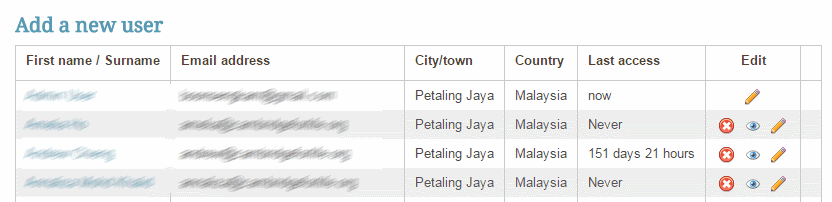
By default, Moodle does not display the user's username as on of the columns in the "Browse list of users" list. See the image below. This is for privacy reasons.


However, there can be times when it is needful for the Moodle administrator to have the usernames appear. For example, the administrator could make it mandatory for all usernames to be the same as the user's corporate or institute E-mail address. And the administrator would like to verify that this rule has been adhered to.

I was surfing for a way to do this for my Moodle 2.7 production site, when I stumbled upon this post in Moodle.org. At the end of this post, you will be able to add the username as an extra column in the Browse list of users list.

Here's how you do it.

Ratings and Recommendations by outbrain